Multi-Discipline Supports
User Guide
Using the MDS Application : Special Supports : Create a Special Support from a Combination of MDS Standard Frameworks
The Special Support window can also be used to create a special support from a combination of existing MDS Standard Frameworks.
|
1.
|
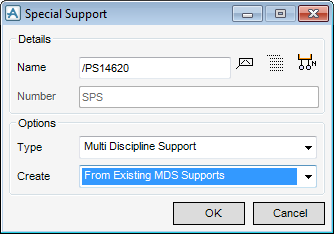
Select the From Existing MDS supports option in the Create field on the Special Support window (Figure 2:24.: Special Support window).
|
|
Figure 2:24.
|
|
2.
|
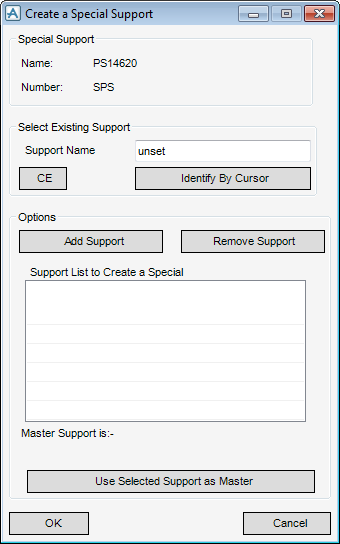
Click OK. The Create a Special Support window (Figure 2:25.: Create a Special support window) is displayed.
|
|
Figure 2:25.
|
|
4.
|
If the user requires a different support to be used as the master, select the support from the list and click Use Selected Support as Master.
|
|
5.
|
Click OK
|
