Multi-Discipline Supports
User Guide
Using the MDS Application
:
Create Support
: Create by Dimensions
Create by Dimensions
Use this method when the required steelwork is not yet entered into the 3D model, enabling the user to continue working.
1.
Enter the following dimensions in the MDS Framework window:
Dimension 1 = 1300mm
Dimension 2 = 350mm
Dimension 3 = 1000mm
Dimension 4 = 1100mm
The location of each dimension can be viewed by clicking
View
. This displays a plotfile with the dimensions shown.
2.
Select the
Dimensions
icon
.
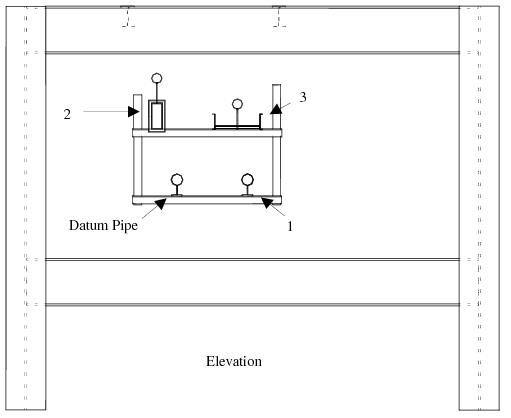
The application now creates the support using the dimensions entered. The view is then as shown in
Figure 2:8.: Design screen 5
.
Figure 2:8.
Design screen 5
1974 to current year.
AVEVA Solutions Limited and its subsidiaries. All rights reserved.