Multi-Discipline Supports
User Guide
Using the MDS Application
:
Create Support
: Create by Clearance
Create by Clearance
Using the Create by Cursor method, two separate elements must be identified and these elements must be parallel to the pipe run. Using the Create by Clearance method, only one element needs to be identified.
1.
Select the
Clearance
icon
. The user is presented with the cursor to identify a steelwork member, box or, panel.
2.
Select the horizontal steelwork member that is perpendicular to, and above, the pipes.
The application now creates the support using the dimensions gained from the position of the identified steelwork member. The clearances are calculated from the default values, obtained from:
•
The values stored against each MDS Ancillary standard in the MDS PARAGON Defaults database. If unset, the clearance values from the MDS Application Defaults window are used.
•
The build style of the MDS framework stored against the :MDSBUILDSTYL uda at each MDS framework template STRU element. That is, the default is INSIDE and the alternative value is OUTSIDE.
The clearances are used to calculate the positions of the vertical members.
These values and all other default values can be queried by displaying the MDS Application Defaults window, refer to
Automatic Steelwork Orientation
. For information on the other defaults used, refer to the MDS
Administrator Guide
.
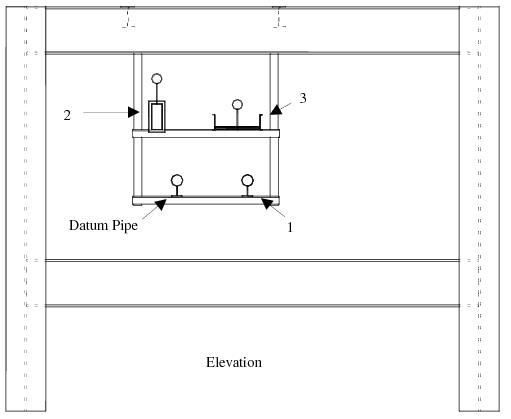
The application fills in all the dimensions with their correct values. The view is then as shown in
Figure 2:7.: Design screen 4
.
Figure 2:7.
Design screen 4
1974 to current year.
AVEVA Solutions Limited and its subsidiaries. All rights reserved.