Multi-Discipline Supports
User Guide
Using the MDS Application : Create Support : Create by Cursor
On the XFT09 window:
 . The user is presented with the cursor and prompted from the status window to identify steelwork, boxes or panels.
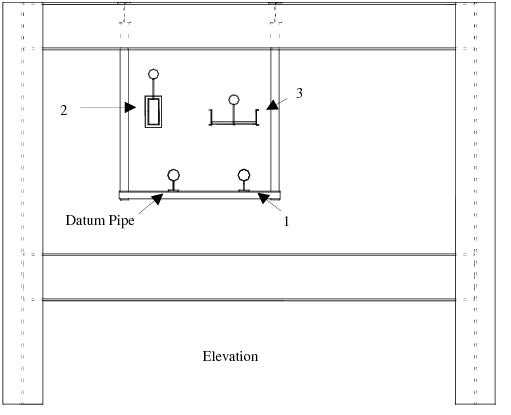
The application now creates the support using dimensions gained from the positions of the identified steelwork. The view appears as shown in Figure 2:5.: Design screen 2. When complete, the application fills in all the dimensions with their correct values. These are stored against the support when it has finished, enabling future modifications of the support.
|
Figure 2:5.
|
 . The user is presented with the cursor and asked to identify the support attachment(s) to support with a cross bar.
 |
6.
|
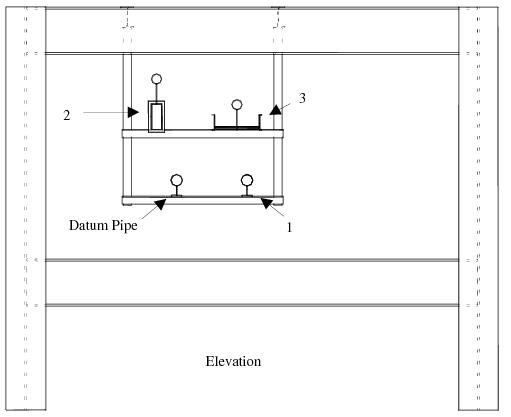
Click Cancel on the status window. The application creates the crossbar and positions it at the correct elevation.
|
Identify both attachments to which the cross will be attached. This information is used later in the support Integrity Checker to check the packing distance between the cross bar and the support attachment. The support Integrity Checker is executed whenever the user clicks OK. The view is then as shown in Figure 2:6.: Design screen 3.
|
Figure 2:6.
|
