DRAW
User Guide
Add Annotation : Add Connection Points
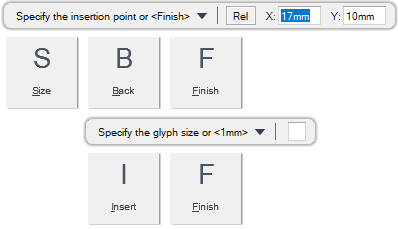
You are prompted to Specify the insertion point or <Finish>
Input values in the dimension fields and press Enter or click to identify the position of the connection point.
Throughout the connection point creation process you can press ESC to cancel the command. Additional functionality is also available.
 |
|
|
Press the down arrow key and select Size to specify a different size for the connection point.
|
|
|
Press the down arrow key and select Back to undo the last action.
|
|
|
Press the down arrow key and select Finish to end the command.
|
|
|
Press the down arrow key and select Insert to add the connection point to the symbol.
|
|
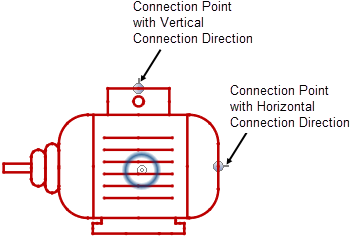
The connection point extended line indicates the connection direction. The associated connector can be connected using the specified direction. Refer to Connection Point Routing for further information.
Use the rotate grip point to modify the direction of the connection point extended line. Refer to Rotate Objects using Grip Points for further information.