Multi-Discipline Supports
User Guide
Using the MDS Application : Add a Drawing Note
|
1.
|
Click the Notes icon
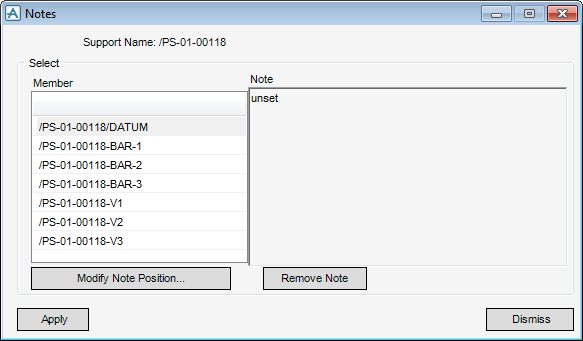
 on the MDS Framework window. The Notes window (Figure 2:23.: Notes window) is displayed. on the MDS Framework window. The Notes window (Figure 2:23.: Notes window) is displayed. |
|
Figure 2:23.
|
|
3.
|
Type the text in the Note text pane. By default, the Note is attached to the origin of the selected element on the MDS ABA drawing.
|
|
4.
|
Use Modify Note Position to attach the Note via EDG (Event Driven Graphics) to another position on the selected element.
|
