Multi-Discipline Supports
User Guide
Using the MDS Application : Modify an Ancillary Type
|
1.
|
Select the Modify Atta icon
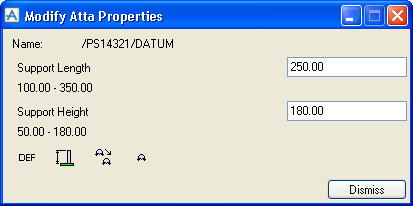
 on the MDS Framework window. The Modify Atta Properties window shown in Figure 2:21.: Modify Atta Properties window is displayed. on the MDS Framework window. The Modify Atta Properties window shown in Figure 2:21.: Modify Atta Properties window is displayed. |
|
Figure 2:21.
|
The Modify Atta Properties window allows all editable design dimensions of the support attachment to be modified.
 .
.