Multi-Discipline Supports
User Guide
Using the MDS Application : Copy a Support
To copy a support, on the Supports tab, in the Tools group, click Copy Support to display the Copy Support window.
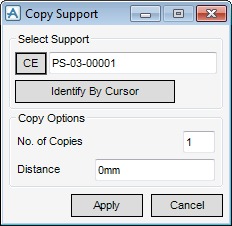
Identify the support to be copied by entering a name into the Select Support text field, clicking CE to copy the current element if it is a support or clicking Identify By Cursor.
