Multi-Discipline Supports
User Guide
Using the MDS Application
:
MDS Structural Associations
: Manually Generated MDS Structural Associations
Manually Generated MDS Structural Associations
The MDS Structural Associations will
not
be created automatically during the creation/modification of a MDS standard framework support structure, when the creation mode used is by Dimensions
.
When a MDS support is created by Dimensions
, any existing MDS Structural Associations (ASSOC elements) for the MDS support will be deleted, but the owning Association Group, ASSOGP element for the MDS support will remain.
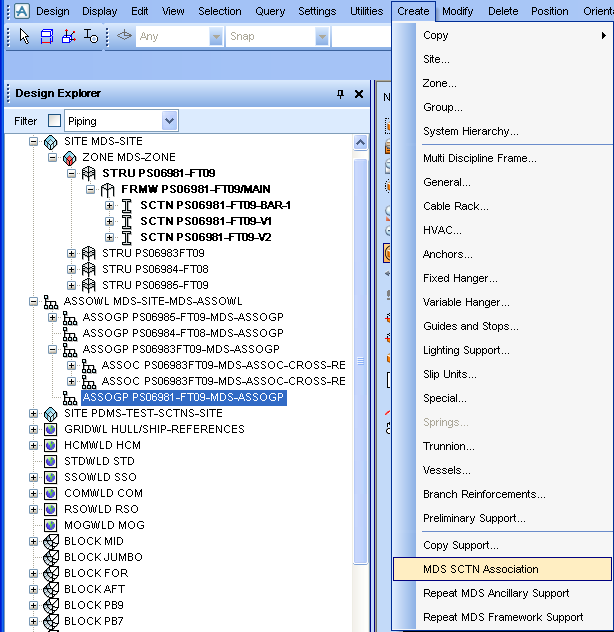
The MDS Structural Associations may now be manually generated by selecting the main menu bar option
Create > MDS SCTN Association
, i.e.
Figure 2:14.
Create menu
It is important to note that a manually generated MDS Structural Association may be created at any time for an existing MDS framework support, and is independent of any window used for the creation and/or modification of a MDS framework type support.
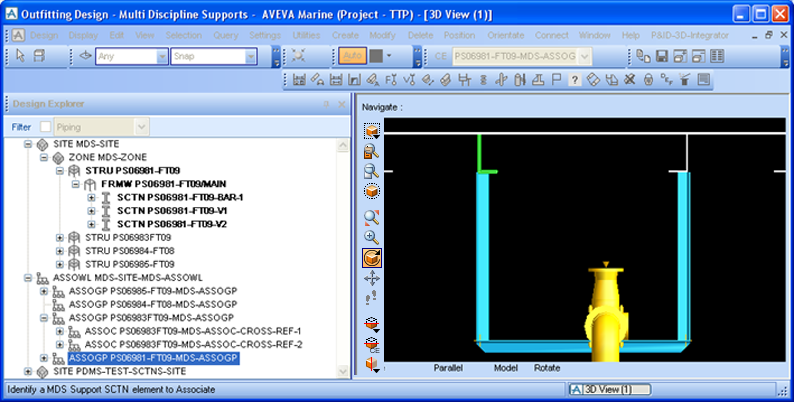
After selecting the MDS SCTN Association option a prompt will be displayed in the status bar, to 'Identify a MDS Support SCTN element to Associate', e.g.
Figure 2:15.
Identify a MDS support SCTN element
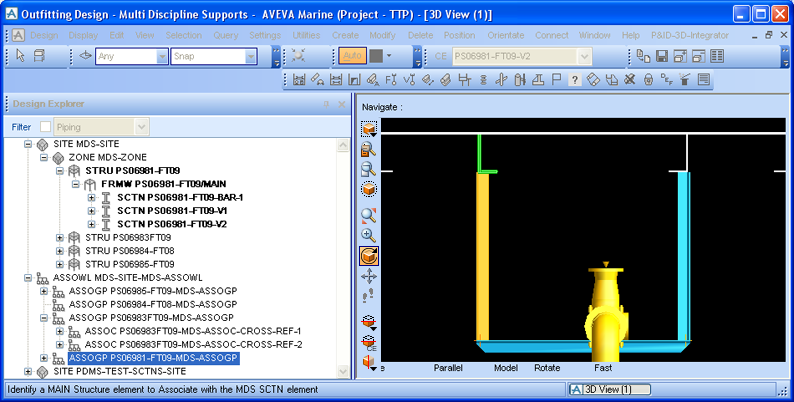
The user must first identify a MDS Support SCTN element as prompted and then the user will be prompted to 'Identify a MAIN Structure element to Associate with the MDS SCTN element', e.g.
Figure 2:16.
Identify a main structural element
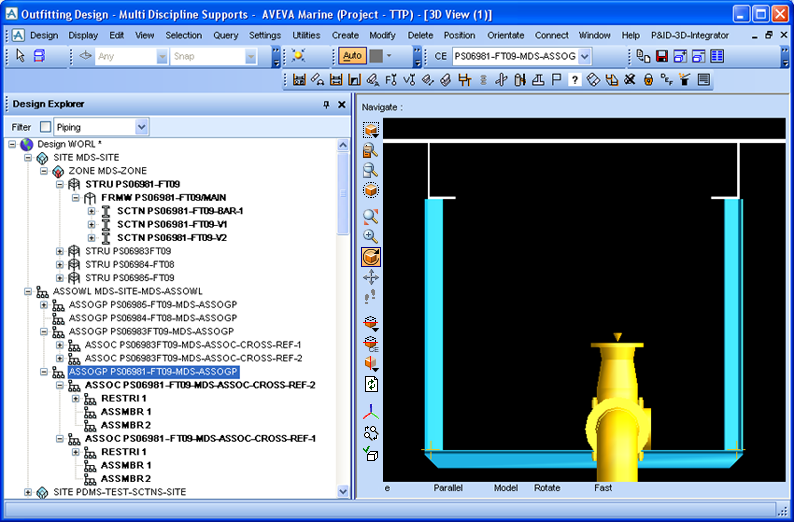
When the two vertical MDS SCTNS have been associated with the relevant MAIN structural elements, the Association Group (ASSOGP) hierarchy for the MDS support will be populated with the Association (ASSOC) elements etc…, as shown in the figure below:
Figure 2:17.
Association Group hierarchy
1974 to current year.
AVEVA Solutions Limited and its subsidiaries. All rights reserved.