Multi-Discipline Supports
User Guide
MDS Reports : Extended Report : Customised Report Headings
To create customised report headings, select Report > User Defined from the MDS Reports Menu window menu bar to display the MDS Report Headings window.
Click either On or Off in the Headings pane in the MDS Reports Menu to activate or suppress report headings. When set to Off, the default report headings are restored.
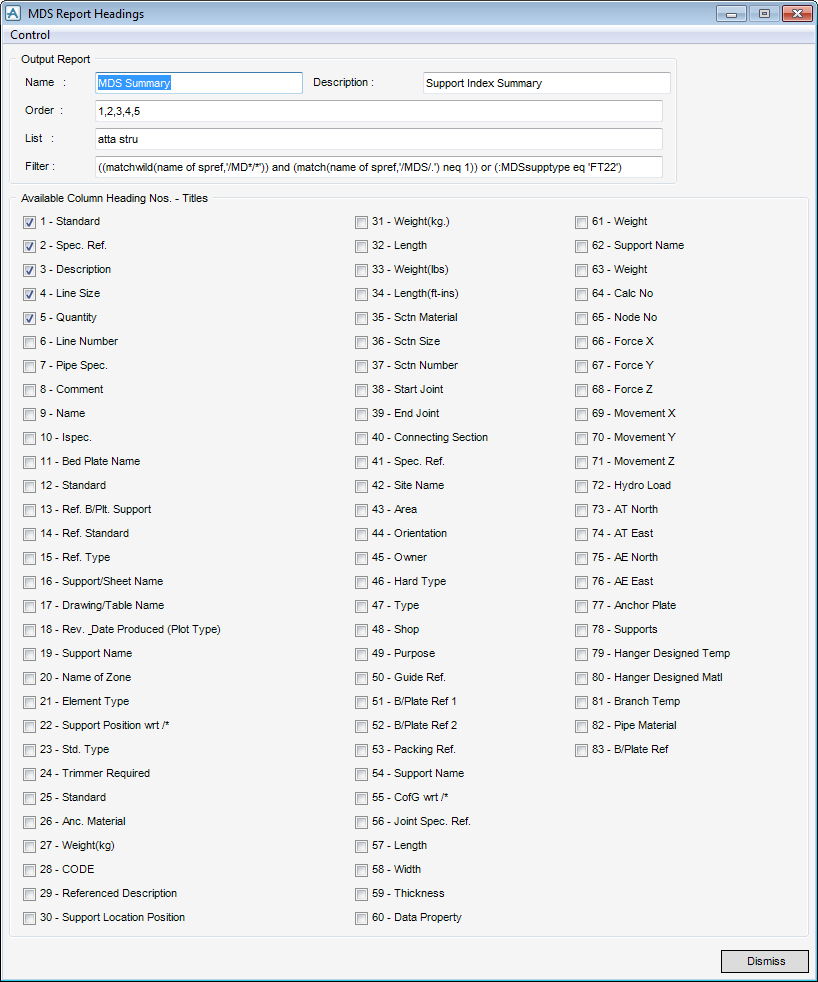
Select Control > Reload Default Reports.
To configure Sorting, totalling and sub-totalling, click Sorting and Totalling in the MDS Reports Menu window to display the MDS Sorting and Totalling window.
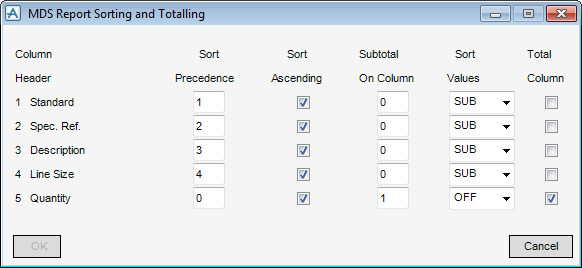
Settings for each column heading in a given report can be defined. If any of the following fields are modified, then OK becomes active.
Click on OK. The window content is checked for validity. If no inconsistencies are found, then the criteria of the window are accepted. If inconsistencies are found, then a detailed report is generated and a prompt to correct the errors is issued.
