Diagrams
User Guide
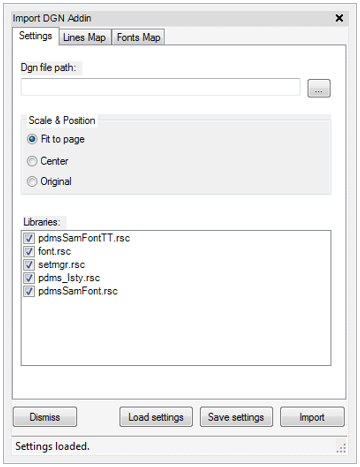
The Settings tab contains the following controls:
|
•
|
DGN file path - the location of the importing file.
|
|
•
|
Scale & Position - sets the imported drawing position.
|
|
•
|
Libraries - list of libraries to use with mapping.
|
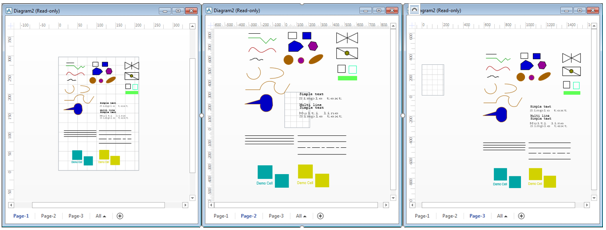
When you click the Import button the DGN file is imported on the active page as a grouped shape (unless it is a single element). You can localise it on the page area. When Fit to page is selected, the imported drawing is resized to page size. Choosing Center pulls the imported items to the centre of the page without resizing. Original pulls the elements into the page in their original size and position.
|
Figure 10:18.
|
