Reporting
User Guide
Report Editing Basics : Change or Apply Data Grouping to a Report
|
•
|
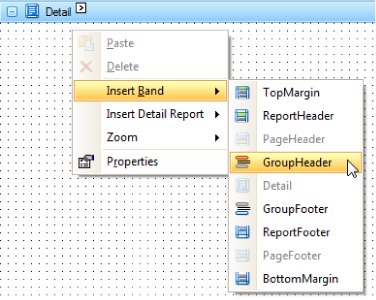
Add a Group Header band to the report.
|
Right-click anywhere on the report, and in the displayed Context Menu, point to Insert Band and click GroupHeader.
|
•
|
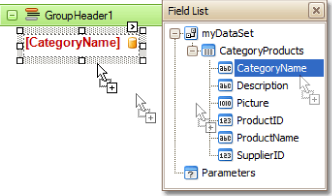
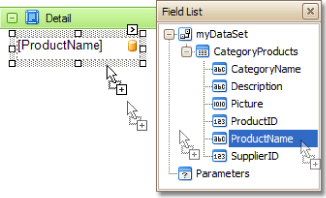
The Field List is then displayed. Drop a field, which will be used as the grouping criteria, from the Field List onto the GroupHeader band.
|
|
•
|
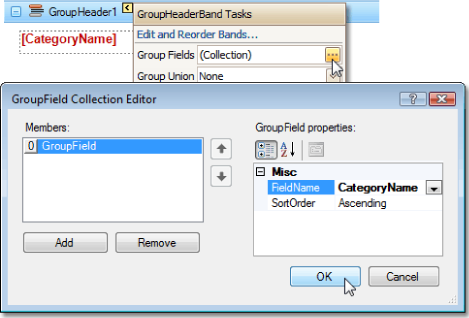
Click the Smart Tag of the GroupHeader band, and in the displayed actions list, click the ellipsis in the Group Fields section. The GroupField Collection Editor window is displayed.
|
|
•
|
In this window, click Add to add a new grouping field, and set its Field Name property to the required field.
|
|
Note:
|
|
•
|
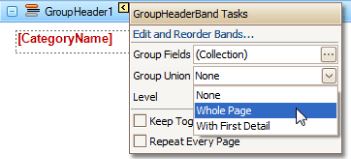
Click the GroupHeader band's Smart Tag again, and in the Group Union dropdown menu, select Whole Page, so that a report group starts on a new page if it does not fit entirely on the previous one.
|
The grouping is now applied to the Report. Switch to the Preview tab to view the result.