Multi-Discipline Supports
User Guide
Branch Reinforcements
To create a branch reinforcement, on the Supports tab, in the Create group, click Branch Reinforcements to display the Ancillaries - Branch Reinforcements window.
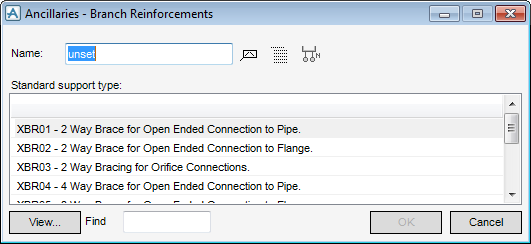
Enter a name of the support to be created or click Autoname. If a legal name is entered, OK on the window becomes active. Refer to the MDS Administrator Guide for further information.
At any time when the Branch Reinforcement window is displayed, the user can click View to see the engineering drawing corresponding to the selected support.
Click OK.
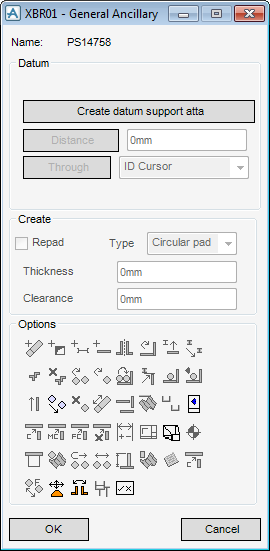
Click Create datum support atta at the top of the window.
|
•
|
|
•
|
|
•
|
Click OK.
