Multi-Discipline Supports
User Guide
MDS Wizard
The MDS Wizard assists the user to quickly identify pipes, structural sections, and equipment. On the Supports tab, in the Tools group, click MDS Wizard to display the MDS Wizard window.
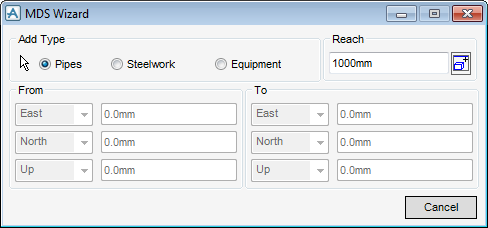
Select either of the Pipes, Steelwork or Equipment radio buttons from Add Type to determine the type to be searched for and added to the graphical view.
Click on the Cursor icon  and identify an element to use as the datum of a volume. This is called the Reach Box. A graphical representation is added, identifying the volume to be used.
and identify an element to use as the datum of a volume. This is called the Reach Box. A graphical representation is added, identifying the volume to be used.Enter a value in the Reach field. Modify this value to make the Reach Box smaller or larger.
 . The application searches within the reach distance from the element and adds all the selected types found to the Drawlist.