AVEVA E3D Whitespace Optimizer
User Guide
AVEVA E3D Whitespace Optimizer Administration : Template Constraints
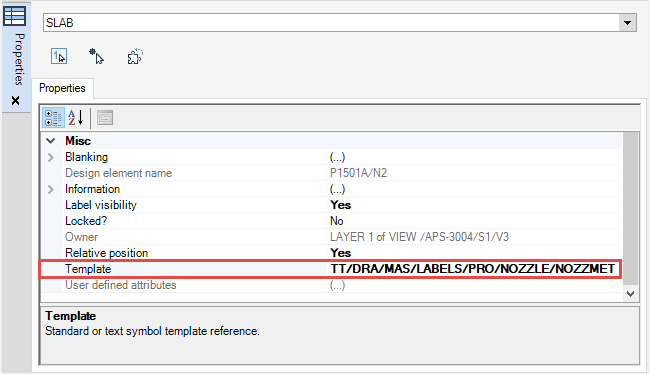
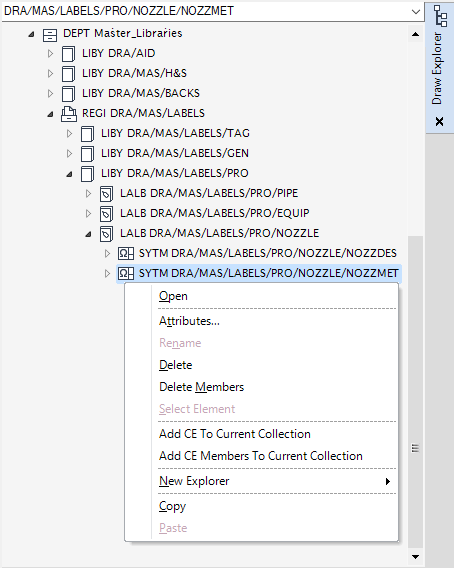
The Template property for the currently selected SLAB element indicates the location of the SYTM element.
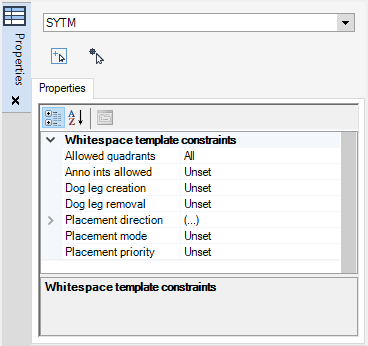
The template constraints can be modified using the Properties window. Refer to Common Functionality User Guide for further information.
|
The calculation is based on the attachment direction of the connection line and can be a combination of any of the following: Top right, Top left, Bottom left, Bottom right. At least one quadrant must be selected.
 |
|
|
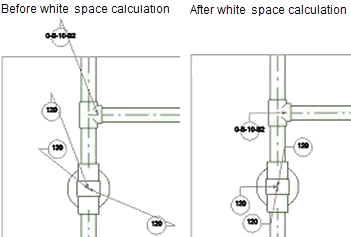
Specifies the calculation method for dog leg annotations. Refer to Dog Leg Creation/Removal for further information.
|
|
|
Specifies the placement mode. Refer to Placement mode for further information.
|
|
|
Specifies the annotation placement priority. Refer to Placement priority for further information.
|
For the template constraint workflow, refer to Resolve Settings Workflow for further information.