Diagrams
User Guide
Diagrams : Schematic Model Viewer : Options
|
•
|
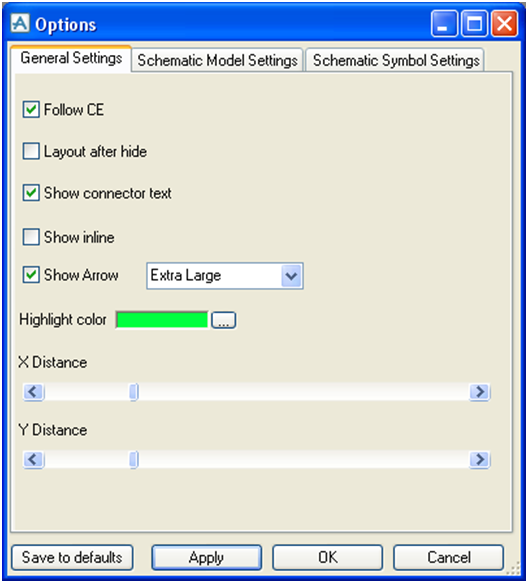
Follow CE - when an item is selected in the viewer, the CE will also change accordingly.
|
|
•
|
Layout after hide - when checked, the connection map will be redrawn each time the user hides some connections’ lines, elements or execute a collapse.
|
|
•
|
Show connector text - determines whether the connector's lines should display describing text.
|
|
•
|
Show inline - this is the same as the Show Inline Items command on the toolbar.
|
|
•
|
Show Arrow - shows flow direction using arrows. You can determine the size of the arrows by using the drop down list.
|
|
•
|
Highlight color - selection of colours for highlighted items.
|
|
•
|
X Distance - determines space between elements in the x axis.
|
|
•
|
Y Distance - determines space between elements in the y axis.
|
