Diagrams
User Guide
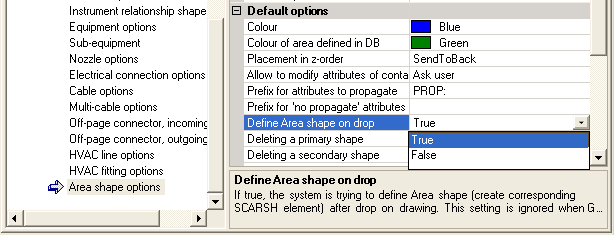
An Area Shape can be used just as a graphic frame not connected to any database element or it could have database representation. DB data against the Area Shape are stored as SCAREA element, which can be created below SCGROU. As any other element, Area can be defined in DB using Define command and also it can be defined on dropping the shape on drawing. To allow the second possibility, Define Area on Drop settings should be set to True:
|
Note:
|
The option is only applicable when General options->System configuration->System->Define shape on drop setting is set to True.
|
To disconnect Area Shape from database element Undefine command can be used. It is possible to specify different colours for defined and undefined Area shapes - see picture above.
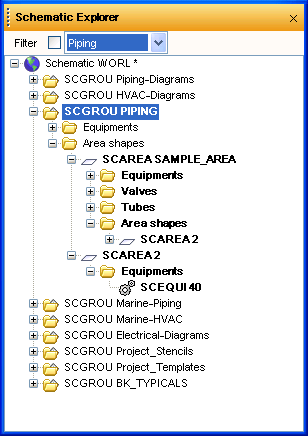
The Primary/secondary shape mechanism can be used to contain several Area Shapes on different drawings referring to the same SCAREA element. For more information please see chapter Primary / Secondary Shapes.
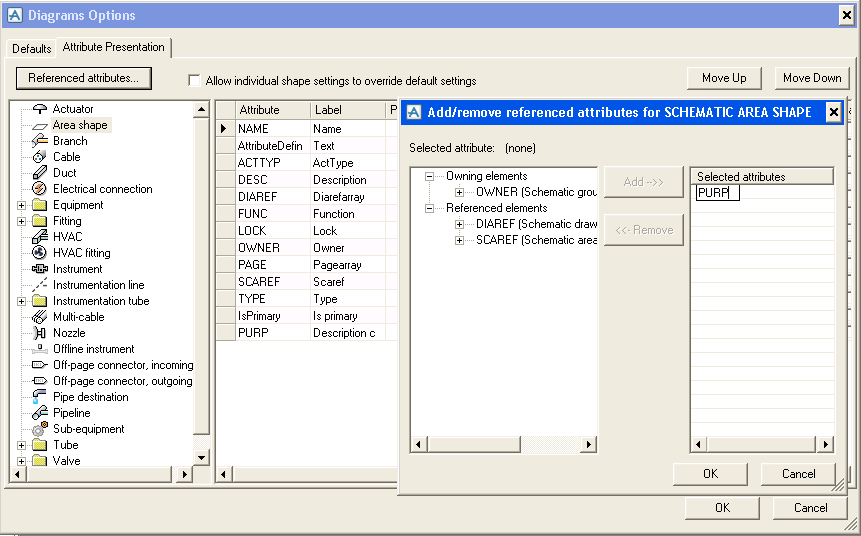
By default the Area has the attributes relevant for the SCAREA element, but the set of attributes controlled by Area Shape can be extended in Diagrams Options. Select the Attribute Presentation click the Referenced Attributes button and then manually key in the attribute names: