Diagrams
User Guide
Diagrams
:
Utilities
:
Publishing Data to AVEVA NET
: Restrict Access to Export to AVEVA NET
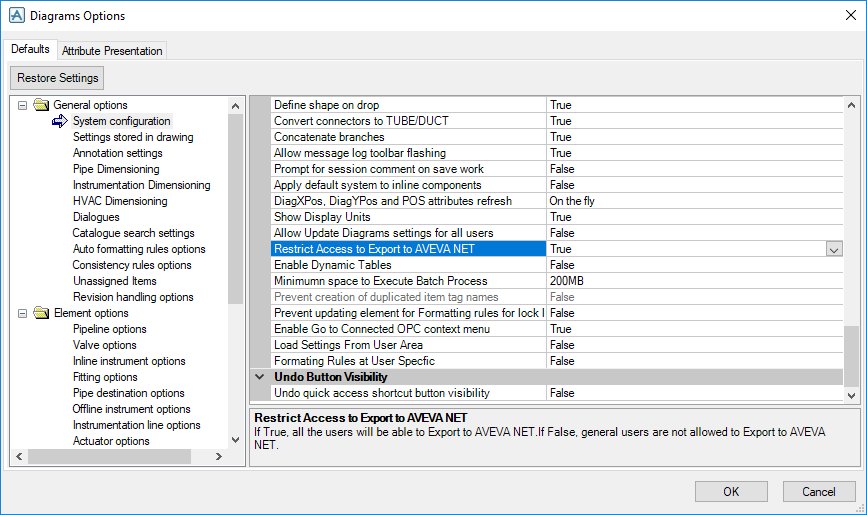
Restrict Access to Export to AVEVA NET
Go to
Diagrams Options
>
General options
>
System Configuration
>
System
>
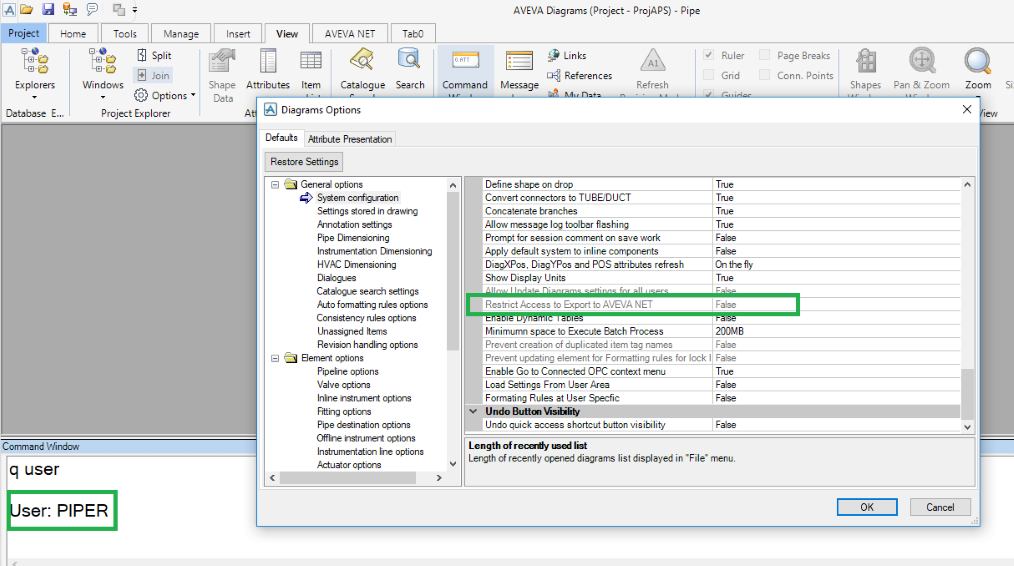
Restrict Access to Export to AVEVA NET
.
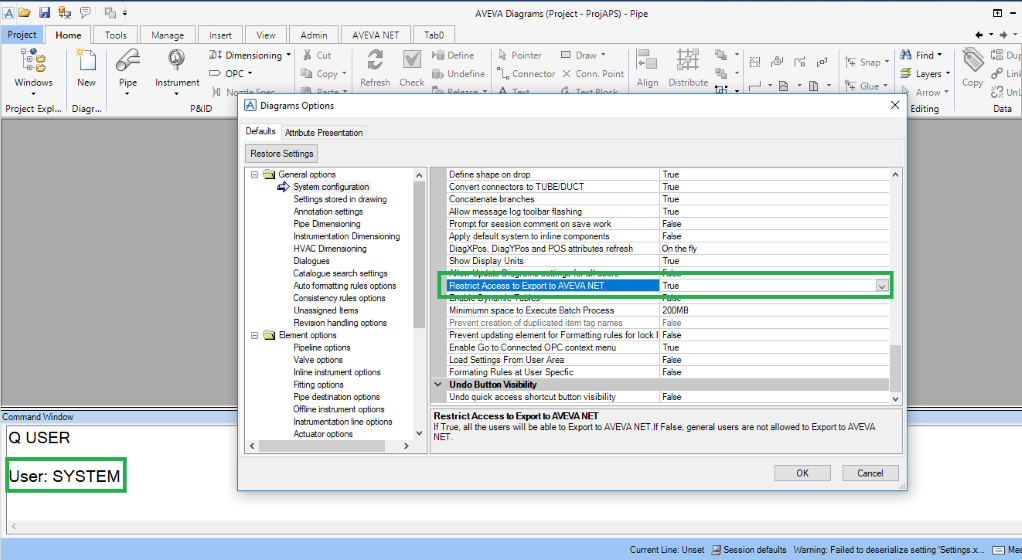
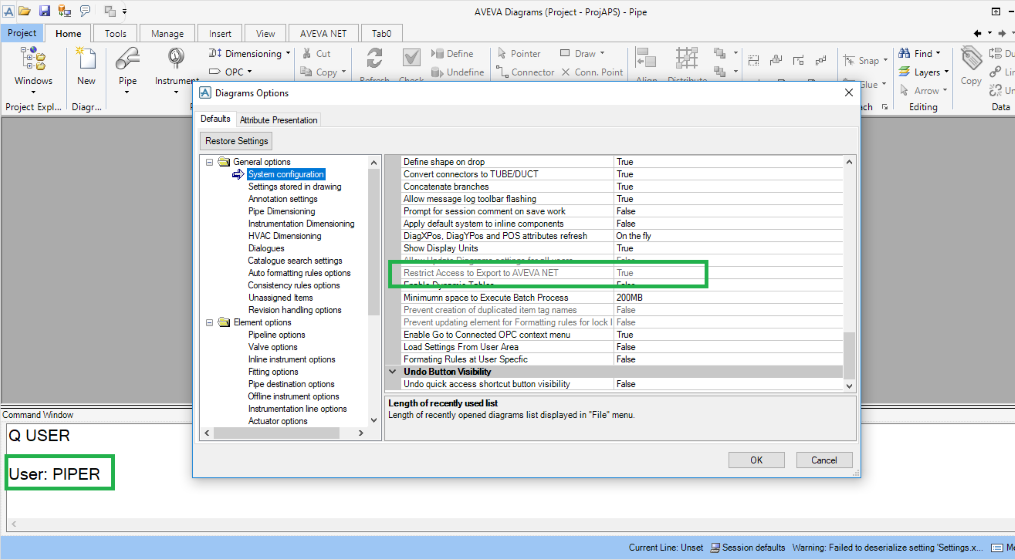
By default this option is set to True. This option is enabled only for Administrative users and disabled for all other users.
Administrative users:
Other users:
If the option is set to True and AVEVA NET Gateways is installed, all the options to publish to AVEVA NET, which are available in the Diagrams application, are enabled.
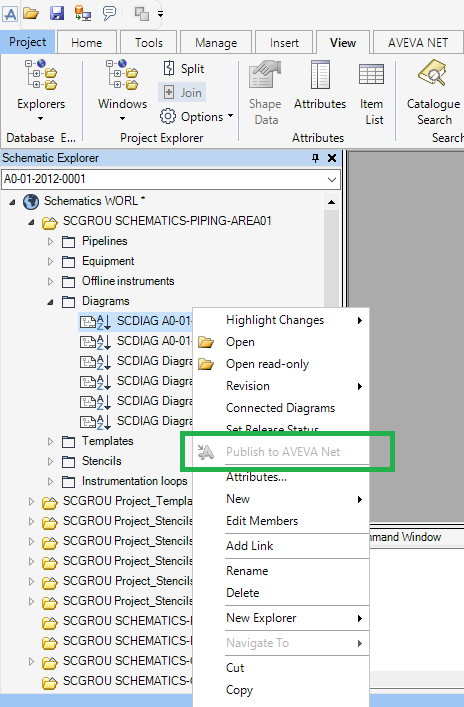
If the option is set to False and AVEVA NET Gateways is installed, all the options to publish to AVEVA NET, which are available in Diagrams application, are disabled.
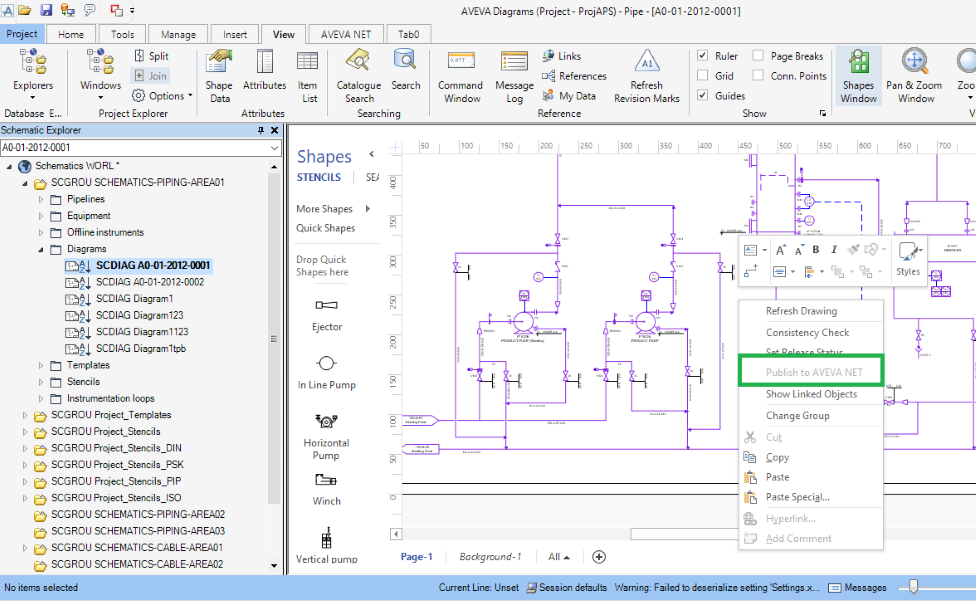
Right-click on a diagram in the
Schematic Explorer
.
On the ribbon go to the
Manage Tab
>
Integration
>
Publish to AVEVA NET
.
Right-click on the current page of an open diagram.
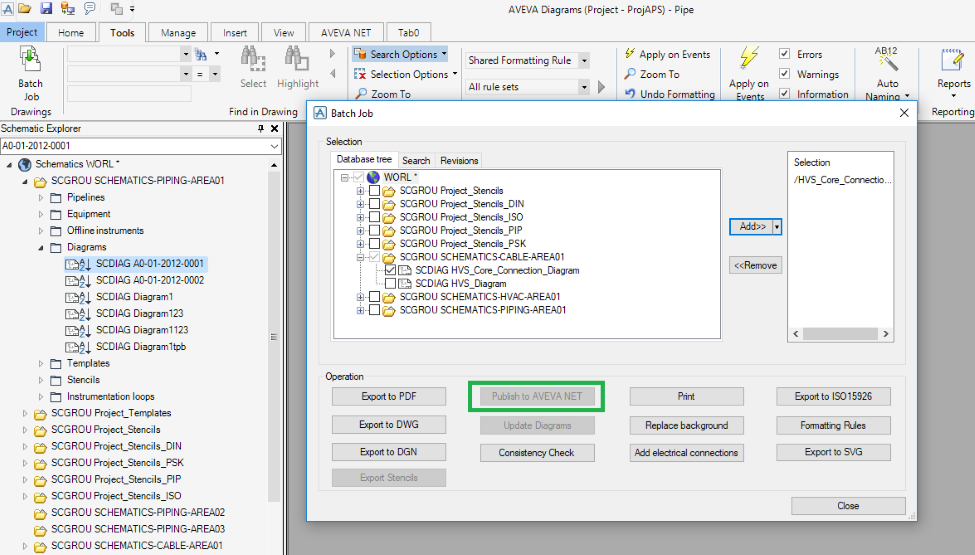
Publish to AVEVA NET in the
Batch Job
function.
As an Admin user, set the option to True to enable all users to publish to AVEVA NET.
1974 to current year.
AVEVA Solutions Limited and its subsidiaries. All rights reserved.